Still have questions?
Speak to our team
Microsoft has just launched Copilot for Legal, a new set of AI capabilities designed specifically for legal work. It’s being rolled out from today. We take a look at why SME firms should be taking a serious look at it.
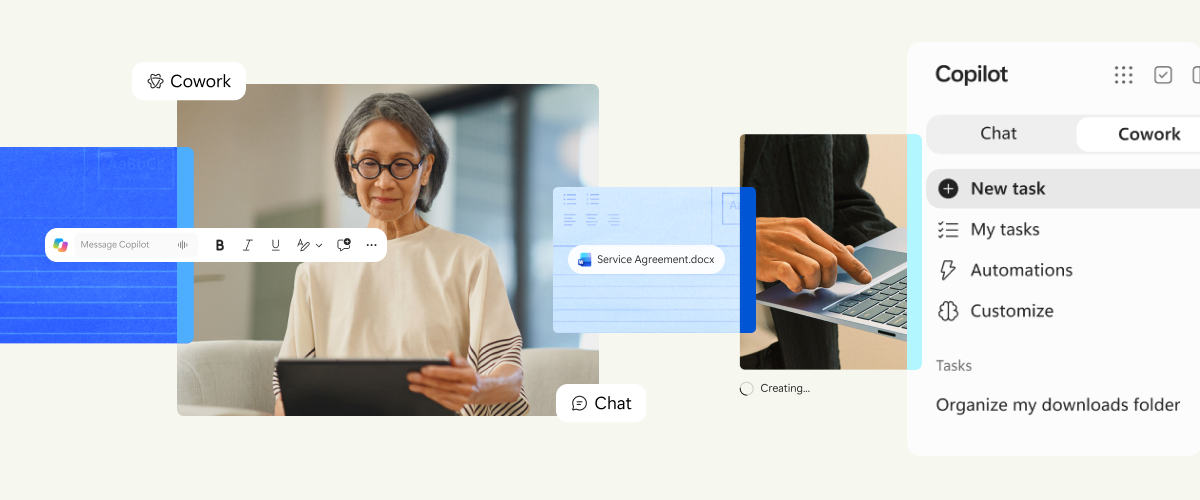
Copilot for Legal introduces more than 20 specialist legal skills, helping solicitors draft documents, review contracts, identify important clauses and complete other time consuming tasks. It works within the Microsoft applications you are already using such as Word, rather than requiring everyone to learn an entirely new system.
Copilot for legal is not an AI designed to replace lawyers, it is a tool specifically designed for lawyers to assist them so they can spend less time on repetitive work and more time advising clients.
But introducing AI into a law firm requires care. Client confidentiality, accuracy and professional accountability remain essential.
So what does Copilot for Legal actually do, how does it compare with other legal AI tools, and what should your firm consider before using it?
Microsoft Copilot is an AI assistant that can help employees write, summarise, analyse information and complete tasks using Microsoft 365 applications. Copilot for Legal builds on this with capabilities designed specifically for legal work.
For example, it can help a solicitor:
These are tasks that lawyers already perform, often involving considerable time reviewing and amending documents. Copilot can help prepare the initial work, allowing the solicitor to focus on checking the detail, applying their expertise and making decisions.
It is not a replacement for legal knowledge or professional judgement. It can work alongside specialist legal software. Microsoft is developing connections with established legal technology providers, including document management and specialist legal AI platforms.
Importantly: Copilot for Legal is not grounded in UK law and at time of writing, most of the legal plugins are for US legal research. UK legal plugins such as Thomson Reuters CoCounsel and LexisNexis are currently not integrated. So you will still need to operate and run these tools separately.
Imagine a commercial property solicitor reviewing a lengthy lease. Normally, they might spend considerable time checking clauses against the firm’s preferred positions, identifying unusual provisions and preparing proposed amendments. Copilot for Legal could help with the initial review, highlighting clauses that differ from the firm’s preferred wording and suggesting changes directly in Word.
The solicitor would still review those suggestions, consider the client’s circumstances and decide which amendments are appropriate. The potential benefit is less time spent on repetitive checking and more time available for the work that requires legal expertise. For a busy law firm, even relatively modest time savings across multiple fee earners could make a meaningful difference.
No. And we do not believe replacing lawyers should be the objective. Legal work involves far more than producing documents.
Clients rely on solicitors to understand their circumstances, interpret the law, assess risks, negotiate outcomes and provide sound professional advice. AI can help prepare information, but it cannot take responsibility for the advice your firm gives.
Consider a solicitor reviewing a commercial agreement. Copilot might identify a clause that differs from the firm’s usual wording and suggest an amendment. However, it cannot reliably determine whether that amendment is commercially appropriate for a particular client without the solicitor’s oversight.
The lawyer still needs to understand the client’s objectives, assess the implications and approve the final wording. The real opportunity is to make good lawyers more productive, not to replace them.
For a typical law firm, that could mean:
Copilot for Legal is not the only AI product designed for lawyers. You may already have heard of Harvey or Thomson Reuters CoCounsel, both of which provide specialist legal AI capabilities.
The main differences are where they fit into your firm’s working practices and the types of tasks they support.
| AI product | What it is particularly useful for |
| Microsoft Copilot for Legal | Drafting, reviewing and working with legal documents within Microsoft 365, particularly Word |
| Harvey | Specialist legal analysis, drafting and workflows through a dedicated legal AI platform |
| Thomson Reuters CoCounsel | Legal research, analysis and document work, including capabilities connected to Thomson Reuters legal information services |
These products increasingly overlap, and some can work together. For example, Microsoft has announced integrations with specialist providers, including Harvey. There is also an important distinction between preparing legal documents and researching the law. Copilot for Legal should not be regarded as a replacement for specialist legal research services.
For smaller firms, the sensible approach is to start with the problem you want to solve. If your solicitors spend substantial time reviewing contracts in Word, Copilot for Legal may be a logical starting point.
If your priority is specialist legal research, another product may be more suitable.
And if your firm needs both, it may eventually benefit from more than one tool. The key is to avoid paying for overlapping AI products without understanding how they will improve productivity.
There are two particularly important risks: inaccurate information and client confidentiality. AI can produce information that sounds convincing but is wrong.
It can misinterpret a document, overlook an important detail or produce an incorrect legal reference. This is sometimes called an AI hallucination. There is also a risk that confidential information could be exposed if employees enter client details into AI applications without appropriate safeguards.These concerns are particularly important for law firms because of their professional obligations.
The Solicitors Regulation Authority has warned firms about the risks of using AI, including fabricated legal references and the inappropriate disclosure of confidential information. The SRA’s position is clear: solicitors remain responsible for their work, even when AI has helped produce it.
Using an AI tool does not remove a solicitor’s duties to clients or the courts. Firms must continue to meet their obligations relating to competence, confidentiality, supervision and the accuracy of their work. For partners and practice managers, this means AI cannot simply be introduced without rules and oversight. Your firm should establish what AI can be used for, what information employees may enter into it and how the results must be checked.
We recommend a simple five step approach whenever AI is used for legal work.
Where possible, ask Copilot to work from approved firm templates, precedents and relevant matter documents.
Confirm names, dates, figures, contractual terms and other important details against the original documents.
Check any legislation, case law or legal citations independently using authoritative sources.
Make sure the output reflects the client’s actual requirements and does not overlook relevant risks.
A suitably qualified person must review and approve the output before it is relied upon or shared where professional judgement is required.
These checks should become part of the firm’s normal working practices.
For a law firm already using Microsoft 365, Copilot has some important security and governance advantages.
Microsoft has designed its business Copilot services to work with the security and information protection controls available within Microsoft 365. This means firms can use existing Microsoft tools to help control who can access information, protect confidential documents and monitor how AI is being used.
There are four particularly useful benefits.
Copilot works within the permissions already assigned to employees.
For example, if a solicitor does not have permission to access a confidential document, Copilot should not give them access to it.
However, this only works properly if your firm’s existing permissions are correct. If confidential documents have been shared too widely, Copilot could make them easier for those employees to discover.
This is why reviewing access permissions before introducing Copilot is so important.
Microsoft provides tools such as sensitivity labels, which allow firms to identify and protect confidential information. For example, documents relating to a particularly sensitive matter could receive additional restrictions.
These protections can also help control how information is used by Copilot.
Microsoft also provides Data Loss Prevention technology. Put simply, this helps prevent sensitive information from being used or shared in ways that breach the firm’s rules.
For example, it may be possible to prevent Copilot from processing documents carrying particular confidentiality labels.
Microsoft provides compliance tools that can help firms review and investigate how Copilot has been used. This is useful where a firm needs to demonstrate that AI adoption is being properly governed.
Microsoft also states that prompts, responses and documents used with Microsoft 365 Copilot are not used to train the underlying foundation models.
No. Governance settings need to be configured correctly, and some require additional Microsoft licences. This does it mean that every other AI product is insecure. Many specialist enterprise AI platforms provide strong security and confidentiality controls of their own.
The advantage of Copilot for a Microsoft 365 based law firm is that it can build on security and governance arrangements the business may already have. That can make responsible adoption easier to manage.
The good news is that firms already using Microsoft 365 may have much of the necessary technology in place. Microsoft has made Copilot for Legal available to eligible Microsoft 365 Copilot commercial subscribers, subject to feature availability and rollout arrangements.
However, purchasing licences should not be the first step.
We recommend five things before making Copilot widely available.
Establish which subscriptions you already have, what additional licences are required and which employees genuinely need them.
Make sure sensitive client documents are appropriately protected and that employees cannot access information they should not see.
Define what employees can use AI for, which tools are approved and what checks are required.
Explain how to use Copilot effectively, how to recognise inaccurate output and when a solicitor must review the work.
Choose a few employees and a small number of tasks where AI could save time. Review the results before expanding access across the firm.
For example, a firm could begin with five solicitors who regularly review commercial agreements. If each solicitor saves an average of 30 minutes per working day, that represents approximately 12.5 hours of capacity per week across the group, assuming five working days.
That is an illustrative calculation, not a guaranteed saving. Actual benefits need to be measured, and time saved does not automatically translate into additional revenue. However, it demonstrates why a focused trial can be more valuable than purchasing licences for everyone immediately.
At Pro Drive IT, we work with law firms that want to take advantage of new technology without putting client information, compliance or their reputation at risk.
We believe AI should help your business become more productive, but it needs to be introduced in a controlled and practical way.
Our support covers four areas.
We review your existing Microsoft 365 environment, check that information is appropriately protected and help configure Copilot for your business.
We can then support a phased introduction rather than making it available to everyone at once.
An AI licence has little value if employees do not know how to use it.
We help teams understand what Copilot can do, which tasks it is suitable for and how to check the results.
The focus is on practical improvements to everyday work.
We help put the necessary technical safeguards and governance arrangements in place. This includes reviewing access permissions, protecting confidential information and helping establish policies for responsible AI use.
Your firm’s partners and compliance advisers remain responsible for its professional obligations, but we can help ensure the supporting technology is properly configured and managed.
AI licences can quickly become an unnecessary expense if they are purchased without a clear plan. We help identify which employees need Copilot, where it is likely to save time and whether the benefits justify the investment. We can also review adoption and usage so that your firm is not paying for technology that nobody uses.
For many small and medium-sized law firms, Copilot for Legal could be a valuable addition to the technology they already use. It offers opportunities to reduce repetitive work, improve document preparation and help solicitors use their time more effectively.
But the right decision depends on your firm’s working practices. If your team spends considerable time drafting and reviewing documents in Word, Copilot for Legal is certainly worth exploring. If your biggest inefficiencies lie elsewhere, another AI tool or a simpler automation may deliver better results.
The important thing is to understand the opportunity before investing. AI should solve a business problem, not become another technology expense.
You do not need to understand the technical details of AI to explore how it could help your firm.
You need to know where your people are spending time on repetitive work, which processes could be improved and what the potential benefits might be.
That is what our AI and Automation Enablement Workshop is designed to help you. Find out more and contact us at: Explore Pro Drive IT’s AI and Automation Enablement Workshop
Speak to our team